I’ve always had great luck with Bioware games. Other than Dragon Age: Origins (which never got much love from EA and requires a system patch to run on newer chips), I can count on one hand the number of times a Mass Effect or Dragon Age game has crashed on me.
Say what you want about Bioware. Those people know that spending time and effort on testing up front is well worth the investment over time. (Can you tell I used to be a software tester? I used to b a software tester.)
Still, no new release is without its issues. Some players are reporting being unable to load saved games, and a small handful of various other bugs. The number of effected users seems statistically small given how many people are playing Veilguard right this minute, but if you’re one of the players who suddenly can’t load any of your saved games it won’t be at all comforting that it’s only happening to relatively few people.
As far as I know (from reading Steam forums, mostly) players haven’t coordinated information on the loading saves issue beyond some speculation that it only occurred when saving outside the Lighthouse (other players said it happened for them in the Lighthouse, too.) Some people mentioned that OneDrive settings might be responsible. (Dragon Age settings are stored in a Bioware sub-folder of “My Documents” on Windows by default.) I have OneDrive disabled and I play on only one device, so I can’t say. If you’re one of the people having any Veilguard issues temporarily disabling OneDrive (and checking permissions on the Bioware folder) seems like it would be worth a shot.
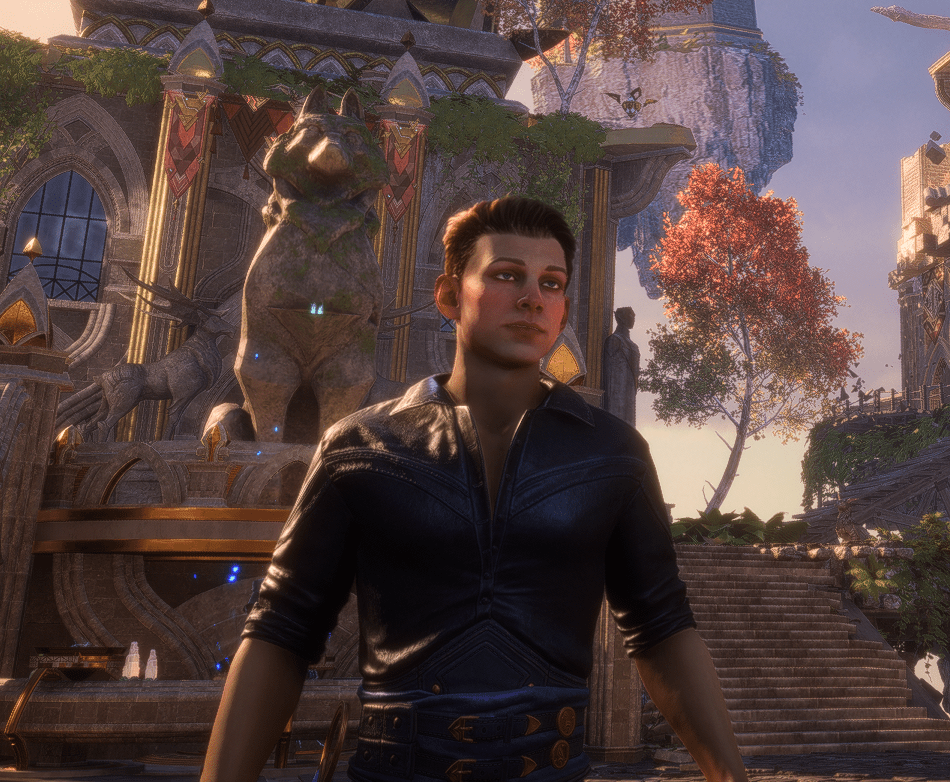
Anyhoo, Bioware announced a patch would be forthcoming “later this week,” and then made good on that promise November 7th. Given that it was N7 day, is anyone surprised to find Mass Effect gear in the Lighthouse? (Yay!)
The patch also fixes several bugs (but I don’t think it tackles the “unable to load…” error, sadly).
As it was before the patch, Veilguard continues to run great on my Legion T5(i7) with an RTX 4060. As per Bioware’s recommendations, I have the game installed on an SSD. Load times are great, and the graphics are smooth.
I did experience some latency earlier on, along with some frame tearing. When I checked the graphics settings, somehow they’d been changed to very strange values. I went through and set my graphics options manually. That seems to have done the trick.
Oddly, I’m experiencing more idiosyncrasies after the patch than before. The one that stands out is a potential indexing error on the character and companion inventory screens. I’ve noticed that picking up new equipment will give the typical “upgrades available” diamond above “Character” or “Companion” on the inventory screen. However, the equipment panel itself seems to show the new upgrade is available in the wrong spot. (For example: picking up a new trinket told the UI that I had new armor, not a new trinket).
The inventory is correct and where it should be, but I sometimes have to back out of the equipment screen, then load it again to see the update diamond on the correct equipment slot.
That’s it. That’s the worst issue I’ve had with Dragon Age: The Veilguard to date. Well, that and enemy combatants are extremely aggressive. Some battles are just me running for my life and taking the occasional pot shot while my companions do most of the heavy lifting. The gods are in a very bad mood indeed. (Honestly, though: if Bioware wants to keep throwing multiple dragons at the party, they need to calm down a bit. The aggro makes long battles extremely tedious as you use the inadequate dodge skills to scurry around a battlefield while everything with really great jumping and range skills just pancakes you. Settle down, Bioware. There’s nothing fun or engaging about repeatedly mashing the space bar waiting for your combo cooldowns.)
At any rate, I believe I read that Bioware is aware of the “unable to load saved games” problem mentioned above. Given their apparent testing methodology, I would not be surprised to see a fix very soon.

 Chris Dangerferret's 2nd Childhood